
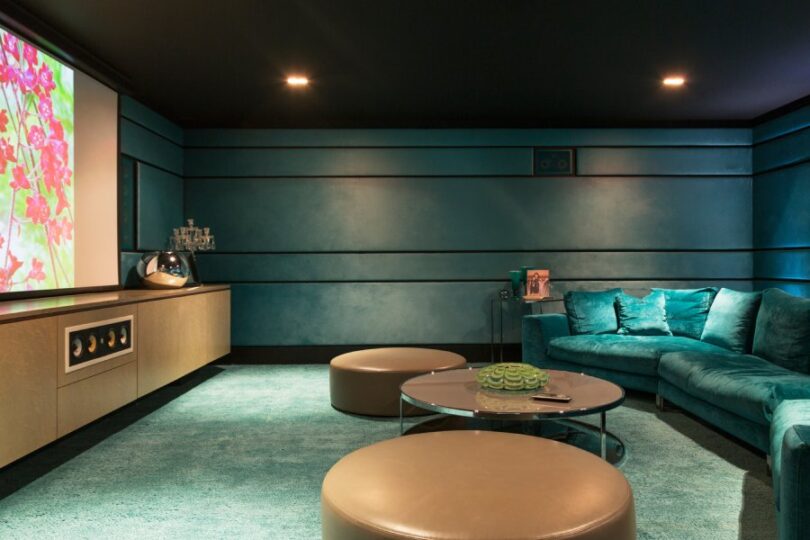

A media room offers the ultimate spot for movie marathons, binge-watching your favorite shows, or cheering on your favorite LA team. Many people think they need a massive, dedicated space for a home theater, but that’s not the case.
With a bit of planning, you can create a multi-purpose media room at home that works for movie nights, gaming sessions, and casual hangouts.
Choose the Right Location
Location is essential for an entertainment space. You want it near lively spots but still private for movie nights or gaming sessions. A spare bedroom, basement, or part of your living room can work well. We suggest choosing a space where you can easily control the lighting. Rooms with fewer windows are often better for media setups because sunlight can cause glare on screens.
If the room has windows, add blackout curtains or blinds to enhance the viewing experience. You can also install a light dimmer to help set the mood and reduce glare on your screen.
Select Versatile Furniture
For a multi-functional room, choose furniture that can adapt to different situations. A large, comfortable sectional provides ample seating for movie nights and is perfect for casual conversations. For extra seating that’s easy to move or store, consider adding bean bags or floor pillows.
To make your space more functional, include these key items:
- A stylish media console to keep devices and cables organized.
- Movable side tables for snacks and drinks.
- Shelving units to display decor, games, or movie memorabilia.
By prioritizing furniture that strikes a balance between comfort and function, you’ll create an inviting media room that’s perfect for any activity.
Optimize Your Audio and Visuals
Your screen and sound system shape the ambiance of your media room. Using a high-definition projector paired with a pull-down screen provides a cinematic experience without permanently occupying wall space; the screen retracts when not in use, restoring the room to its normal setup.
For audio, instead of relying on the projector or TV’s built-in speakers, you can use a soundbar that provides high-quality sound for movies and music. Many soundbars come with built-in subwoofers, which improve bass and make explosions more impactful and music more immersive.
Get the Lighting Right
Lighting sets the room’s atmosphere. Install dimmable overhead lights to adjust brightness for activities like reading, relaxing, or entertaining. Add accent lighting, such as LED strips behind the TV or on shelves, to boost aesthetic and create a modern vibe.
Smart bulbs offer the added advantage of customizable colors and adjustable brightness, all of which can be controlled through your smartphone. This feature makes it easy to transition from a bright, energizing environment during the day to a dark, cinematic setting ideal for movie nights or cozy evenings.
By focusing on flexible furniture, smart technology, and adjustable lighting, you can create a multi-purpose media room at home that’s ready for anything.